
Scanner & Reports
Share an Accessibility Report with a Customer
This guide documents the Pluro workflow illustrated in the accompanying product screenshots. Available controls may vary by plan and product release.
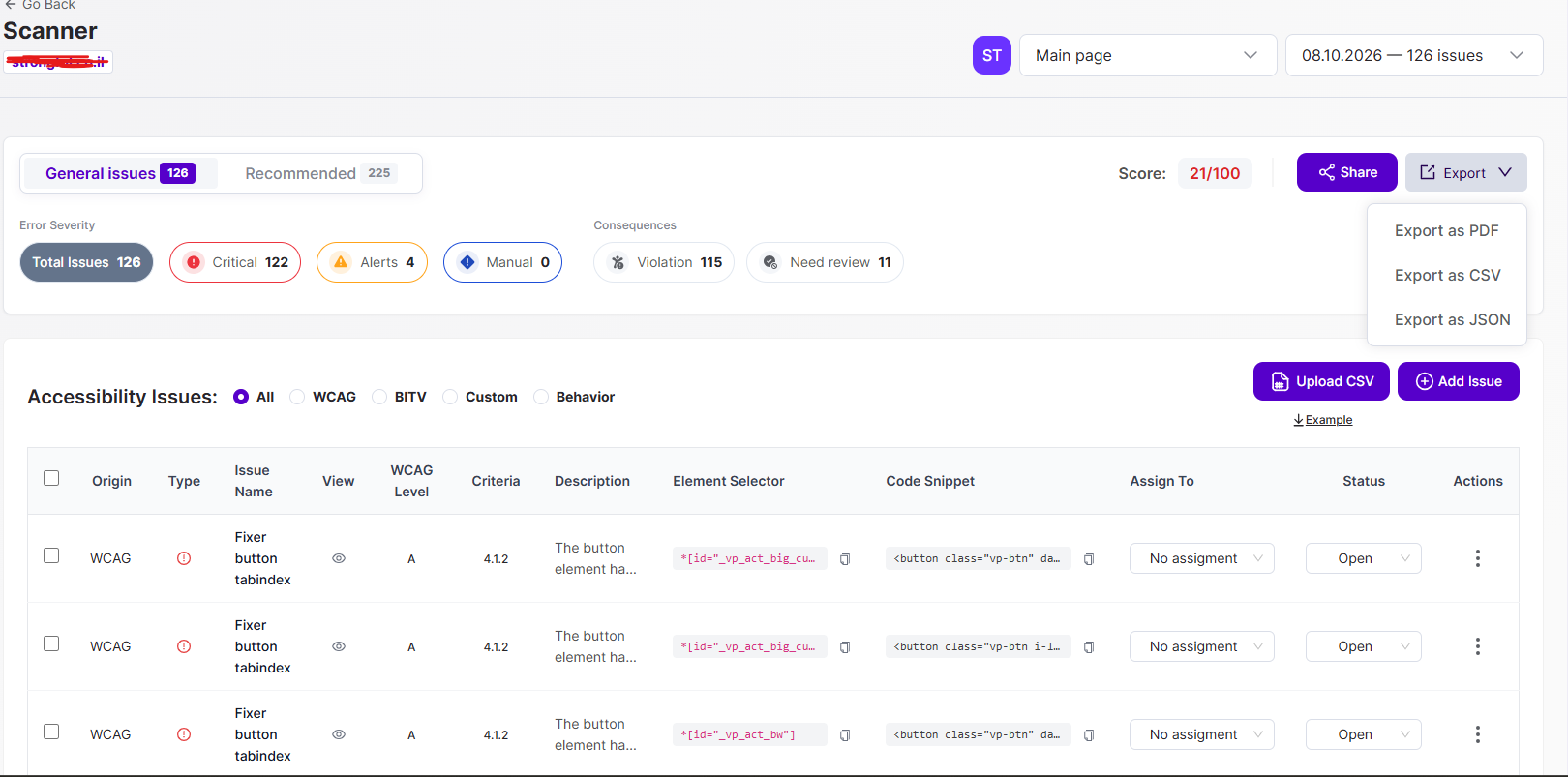
Share from Scan Results
Open the appropriate website and scan in MyPluro. In the accessibility issues/report view, select Share near the displayed score.
Copy the report link
The Share report dialog shows a Link field and a Copy button. Copy the link and provide it to the intended recipient using your normal customer communication channel.
Check access before sharing
Verify the copied link in a suitable browser session and ensure the recipient can access only the intended report. Do not assume that a link is public, anonymous, restricted, or permanent until you test its current permissions.
Explain the report accurately
Tell recipients that an automated scan reports detected issues from its configured scope. A scan score alone is not proof of full WCAG conformance. Include manual testing and remediation status where available.
Product documentation note: Review permission settings, current account functionality and the actual result before applying changes to a customer website.