
Fixer & Remediation
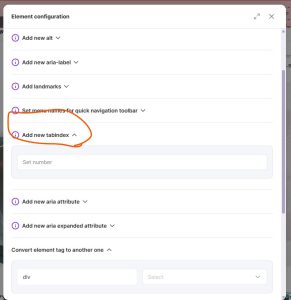
Understanding tabindex: Best Practices for Accessible Web Design
Document the issue and its intended behavior before applying a change. Test corrections in the relevant page states, including keyboard interaction and dynamic content, before and after deployment.
Managing keyboard focus is a critical part of building accessible websites and applications. One of the most common ways to control focus is through the tabindex attribute. However, incorrect use can harm accessibility instead of improving it. This guide explains how and when to use tabindex="0" and tabindex="1" (or other positive values).
tabindex="0"
-
Definition: Inserts the element into the natural tab order of the page.
-
When to Use:
-
For non-interactive elements that are enhanced with ARIA roles (e.g.,
<div role="button">or<span role="link">) and need to be keyboard-focusable. -
To allow users to navigate to an element without disrupting the standard tab sequence.
-
-
Example:
<div role="button" tabindex="0">Open menu</div>
-
Best Practice: This is the recommended way to make custom elements focusable.
tabindex="1" (or any positive number)
-
Definition: Forces the element to receive focus before elements in the natural tab order, based on the assigned number.
-
When to Use:
-
Very rarely. Positive
tabindexvalues should only be used in exceptional cases where a strict, custom focus order is absolutely required (e.g., specialized web applications with complex layouts).
-
-
Drawbacks:
-
Overwrites the natural tab order, which can confuse users.
-
Difficult to maintain as the page structure evolves.
-
Generally discouraged by accessibility guidelines.
-
General Recommendations
-
✅ Use
tabindex="0"to include elements in the normal keyboard flow. -
❌ Avoid positive values (
tabindex="1",tabindex="2", etc.) unless there is no other solution. -
🚫 Never rely on
tabindexalone for accessibility. Proper HTML semantics and roles should always come first.
Summary
-
Use
tabindex="0"to make custom interactive elements accessible without breaking the natural navigation order. -
Avoid positive
tabindexvalues, as they complicate navigation and harm usability. -
Always aim for a logical, predictable focus order that matches the visual layout and user expectations.
Would you like me to also add a “Do’s and Don’ts table” at the end (✅ vs ❌ examples) so it’s easier for your dev team to scan quickly?
Validation checklist
- Test keyboard access and visible focus.
- Check the relevant semantics with a screen reader or accessibility tree.
- Verify on real content and in dynamic states; automated checks alone are insufficient.