AI-Assisted Accessibility Remediation Workflows
Pluro AI Insight helps developers and accessibility teams generate, review, and apply accessibility remediation suggestions safely using AI-assisted workflows and runtime-safe JS/CSS injection.
Unlike accessibility overlays or fully automated “one-click compliance” solutions, Pluro AI Insight keeps developers in control throughout the remediation process.
AI generates remediation suggestions.
Humans review, validate, edit, and decide how fixes should be applied.
This creates a transparent, developer-first accessibility remediation workflow designed for real production environments.
Why Pluro AI Insight Is Different
Most accessibility AI solutions focus primarily on detection or attempt to automate accessibility entirely.
Pluro AI Insight was designed differently.
Instead of trying to “automatically make websites accessible,” the platform focuses on accelerating remediation workflows while preserving developer control and runtime safety.
With Pluro AI Insight, teams can:
- generate AI-assisted remediation suggestions
- review and edit generated fixes
- apply runtime-safe JS/CSS remediation
- reject unsafe or irrelevant suggestions
- continue complex remediation inside Pluro Fixer
This creates a structured remediation workflow instead of disconnected accessibility reports.
How Pluro AI Insight Works
Pluro AI Insight integrates directly into the accessibility remediation lifecycle.
Scan Website
↓
Detect Accessibility Issues
↓
AI Analysis
↓
Generate Remediation Suggestions
↓
Classify Risk Level
↓
Review & Validate
↓
Apply Runtime-Safe Fixes
↓
Optional Manual Remediation in Pluro Fixer
The goal is to help teams move faster from:
accessibility detection → remediation → validation
while maintaining visibility and control over every change.
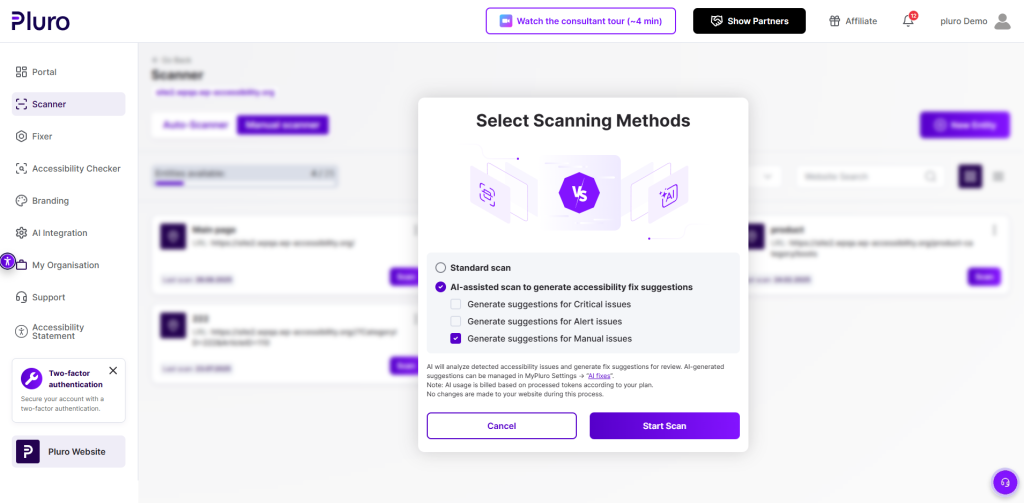
AI-Assisted Scanning
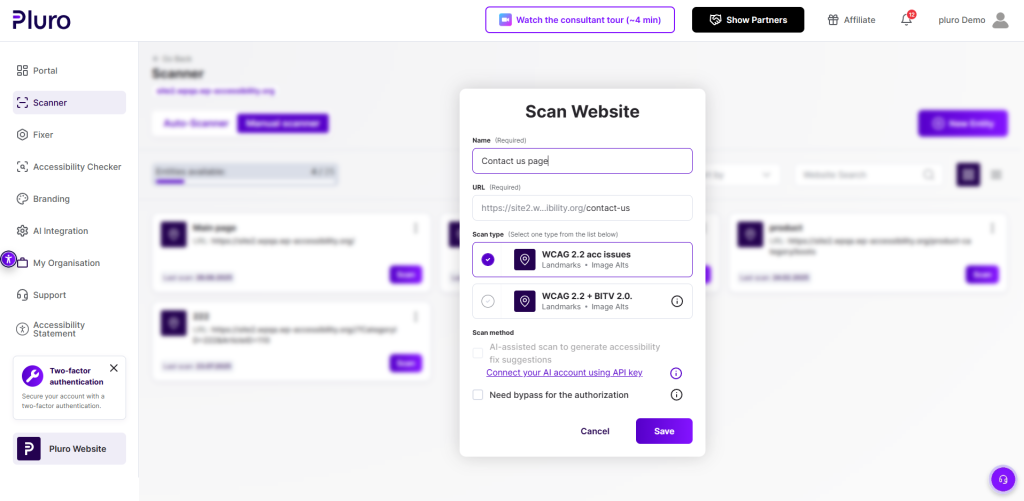
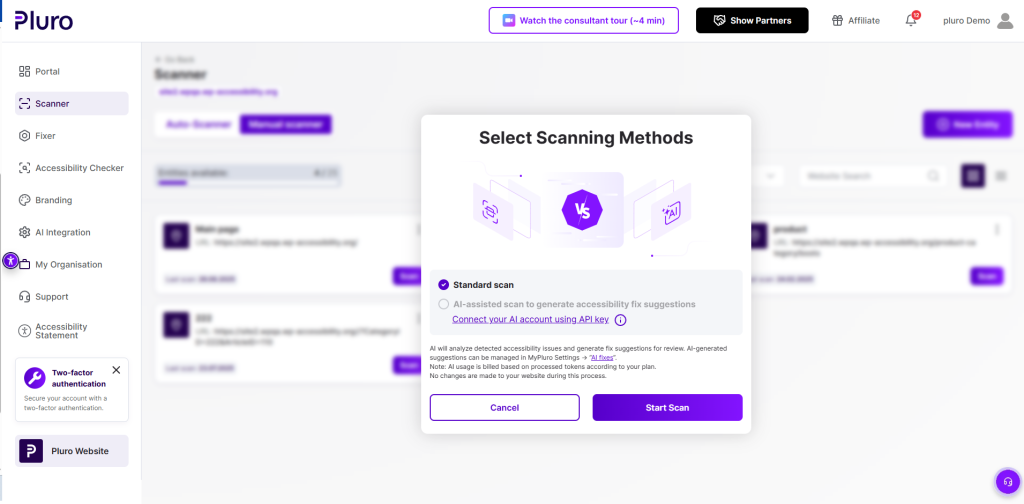
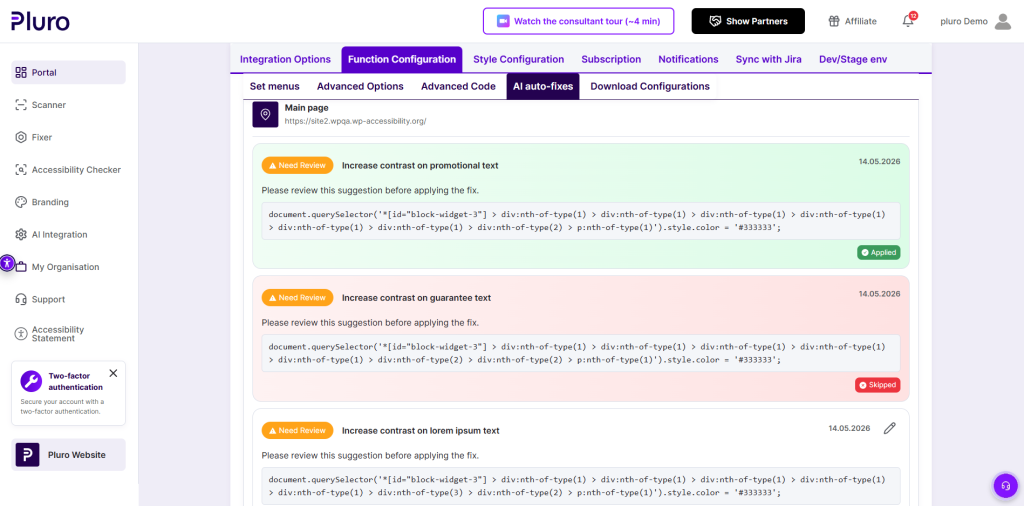
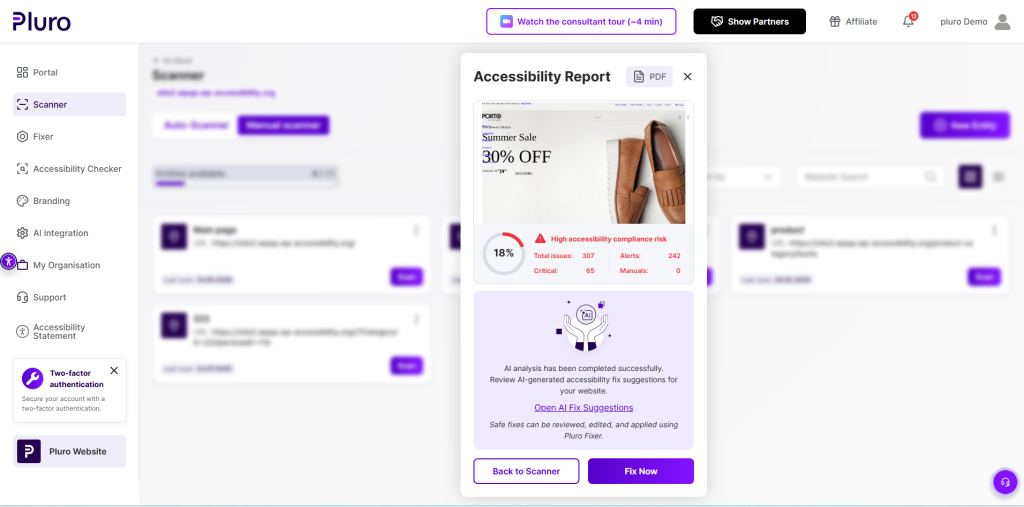
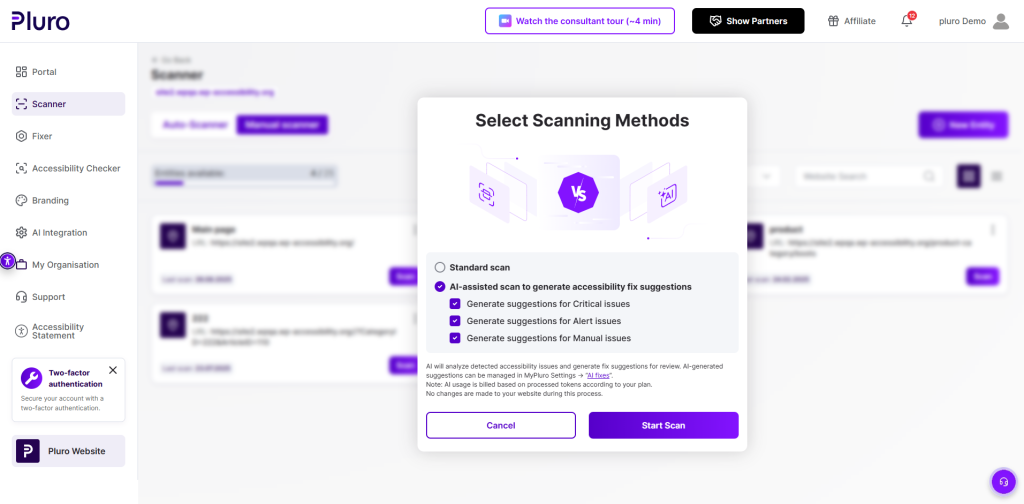
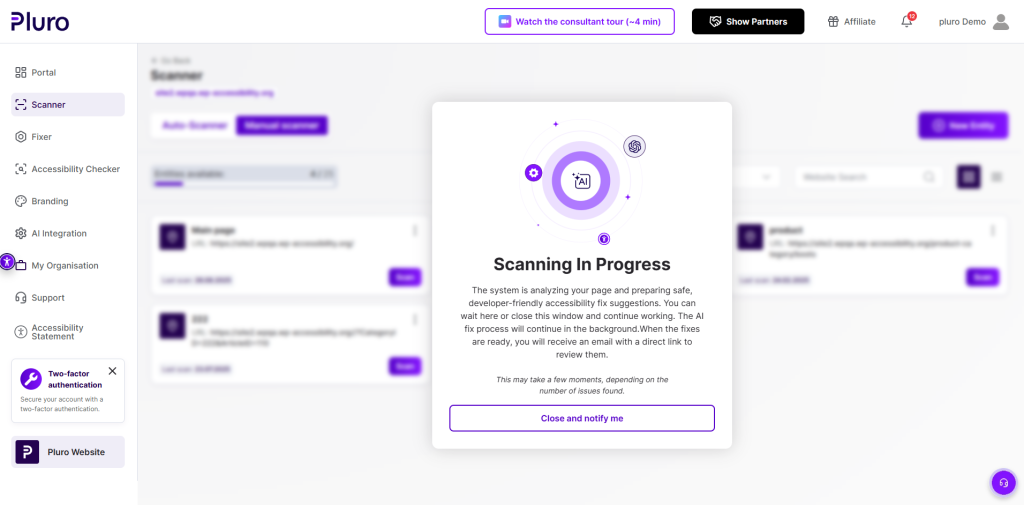
When AI-assisted scanning is enabled, Pluro analyzes detected accessibility issues and generates developer-friendly remediation suggestions.
The workflow supports:
- AI-generated remediation suggestions
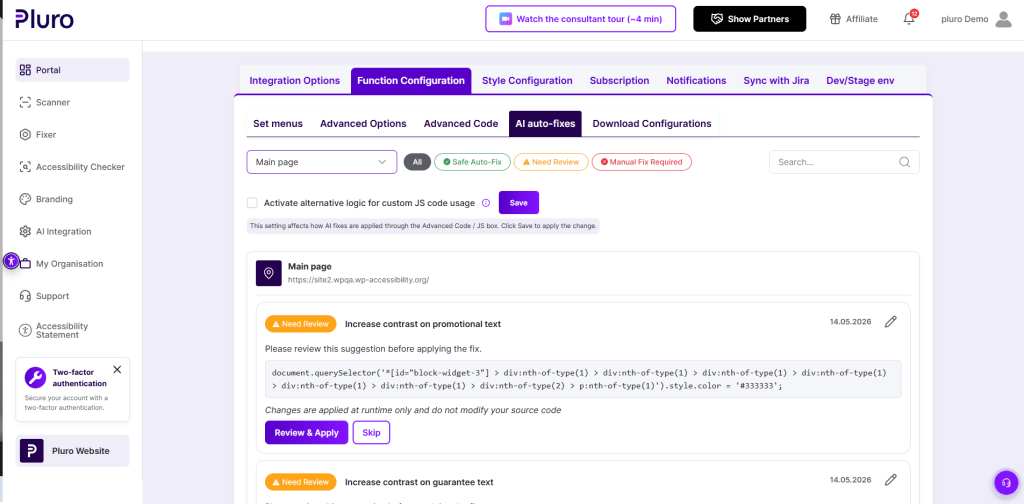
- categorized remediation states
- editable remediation drafts
- human review before applying changes
- runtime-safe JS/CSS injection
- direct integration with Pluro Fixer
During this process:
- no source code is modified
- all remediation remains reviewable
- developers maintain full control
- fixes can be edited before deployment
Runtime-Safe Remediation
One of the core principles behind Pluro AI Insight is runtime safety.
Pluro does not directly modify production source code automatically.
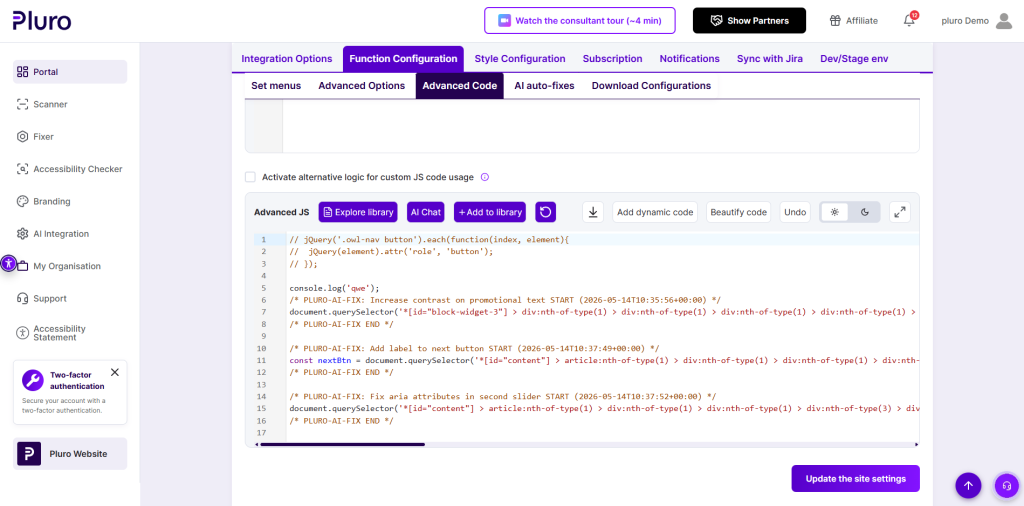
Instead, approved remediation suggestions are applied through Pluro’s runtime injection layer using controlled JS/CSS remediation logic.
This approach helps teams:
- maintain deployment flexibility
- avoid breaking frontend frameworks
- review remediation before applying changes
- centralize accessibility remediation workflows
- work safely with React, Vue, WordPress, and other environments
All generated remediation suggestions can be:
- reviewed
- edited
- approved
- skipped
- rejected
- manually refined using Pluro Fixer
AI Fix Classification
Pluro AI Insight classifies generated remediation suggestions into three remediation states.
🟢 Safe Auto-Fix
Low-risk accessibility improvements considered safe for runtime remediation.
Examples include:
- adding aria-label when context is clear
- fixing buttons without accessible names
- improving focus outline visibility
- correcting invalid tabindex usage
- applying CSS-only contrast improvements
- hiding decorative elements using aria-hidden
These suggestions are designed to be:
- runtime-safe
- reviewable
- reversible
- non-breaking
🟡 Needs Review
Accessibility issues that may require contextual validation before applying.
Examples include:
- heading hierarchy improvements
- landmark role adjustments
- form label associations
- label-in-name validation
- semantic refinements
These suggestions are intentionally marked for human review before deployment.
🔴 Manual Fix Required
Complex accessibility issues that cannot be safely resolved automatically.
Examples include:
- business logic problems
- advanced keyboard navigation behavior
- dynamic interaction flows
- focus management issues
- complex semantic structures
These issues can be handled directly through Pluro Fixer and manual remediation workflows.
Developer Workflow
Pluro AI Insight was designed for real accessibility remediation workflows used by development and QA teams.
Developers can:
- review generated remediation suggestions
- edit AI-generated JS/CSS remediation code
- apply runtime-safe fixes
- reject or skip suggestions
- continue remediation directly inside Pluro Fixer
- manage applied fixes centrally inside MyPluro
This creates a unified workflow:
Scanner
↓
AI Analysis
↓
Review
↓
Runtime Remediation
↓
Validation
↓
Fixer Workflow
instead of disconnected scanning and remediation tools.
Bring Your Own Key (BYOK)
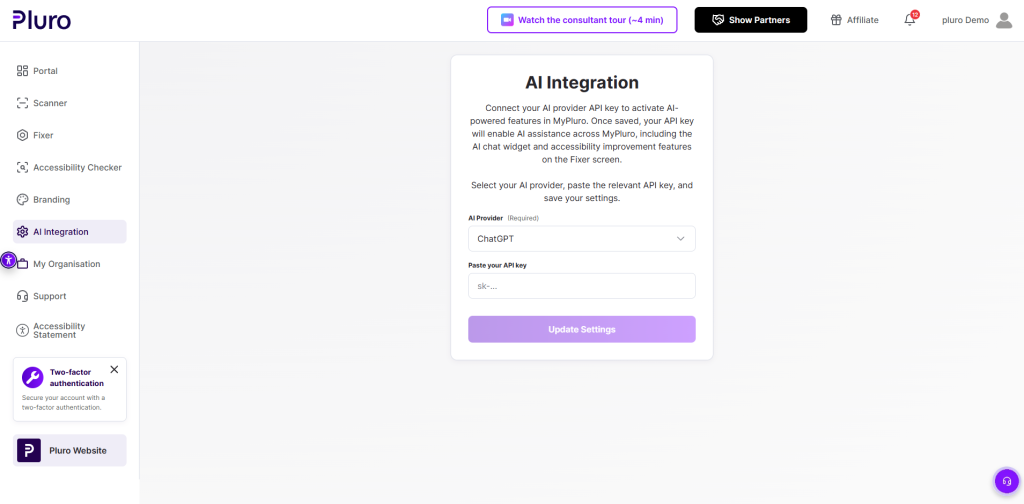
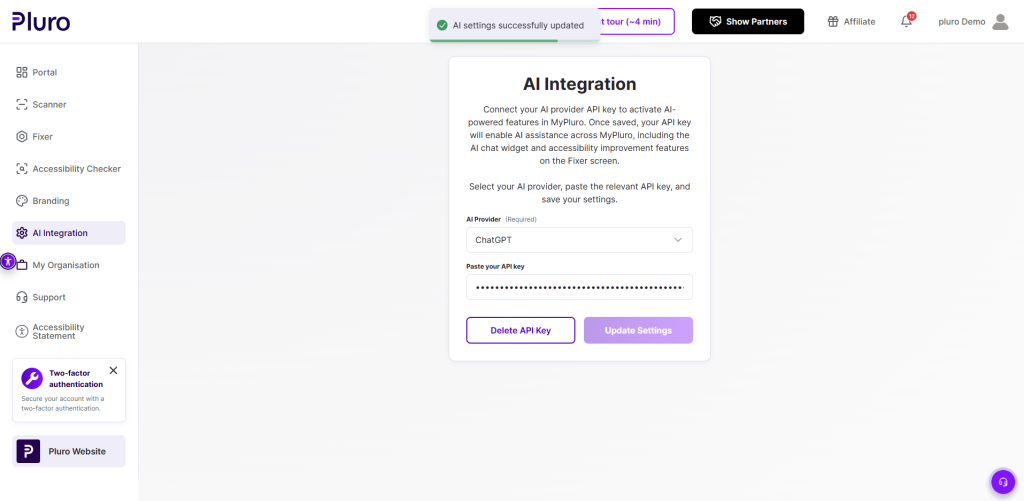
Pluro AI Insight supports BYOK (Bring Your Own Key) architecture.
Organizations can connect their own AI provider accounts directly inside MyPluro.
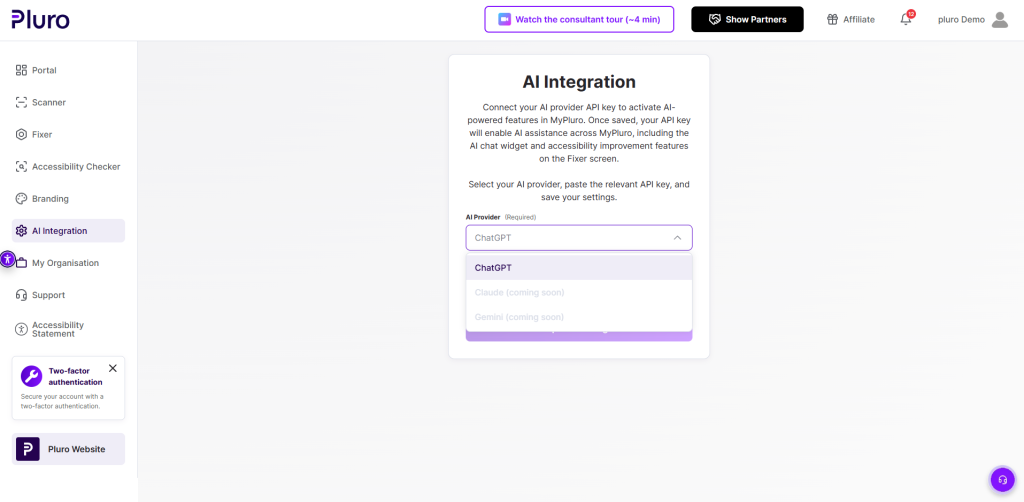
Supported and planned providers include:
- OpenAI
- Claude
- Gemini
This architecture provides:
- provider flexibility
- encrypted API key management
- customer-owned billing
- infrastructure separation
- future provider portability
API keys are stored securely and encrypted within the platform.
Security & Privacy
Pluro AI Insight was designed with operational transparency and enterprise workflows in mind.
Key principles include:
- no automatic source code modification
- runtime-only remediation logic
- editable remediation before applying
- developer-controlled deployment
- encrypted AI provider credentials
- centralized remediation management
AI-generated remediation suggestions are designed to assist remediation workflows — not replace accessibility validation processes.
Important Limitations
AI-generated remediation suggestions should always be reviewed before production deployment.
Pluro AI Insight:
- does not guarantee automatic WCAG compliance
- does not replace manual accessibility testing
- does not replace screen reader validation
- does not replace accessibility expertise
Some accessibility issues still require:
- human judgment
- semantic restructuring
- design decisions
- manual remediation workflows
This limitation is intentional and reflects a safer, more transparent accessibility remediation approach.