
Installation & Integrations
Enable Subresource Integrity (SRI) for Pluro
This guide documents the Pluro workflow illustrated in the accompanying product screenshots. Available controls may vary by plan and product release.
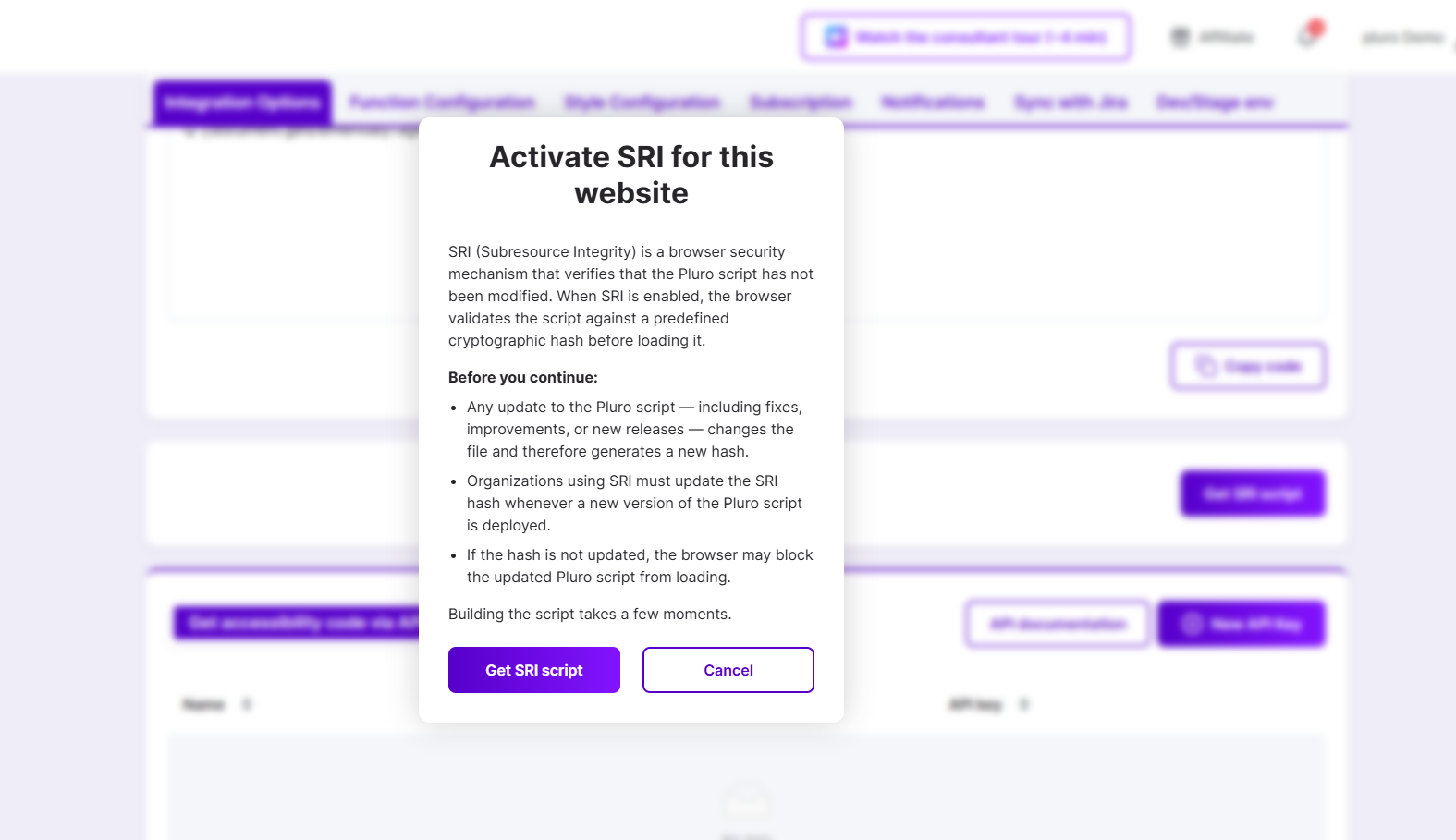
What SRI does
Subresource Integrity (SRI) allows the browser to verify a script against an expected cryptographic hash before executing it. If the downloaded bytes do not match the declared integrity value, the browser blocks the resource.
Generate the SRI script
Open the website in MyPluro and locate its Integration Options. Select the SRI option. Read the warning before choosing Get SRI script. Copy the generated installation snippet and keep its integrity value with the matching version of the Pluro script.
Changes and updates
When the underlying script changes, a previously generated hash may no longer match. Coordinate script updates and SRI hash replacement; otherwise browsers may block loading. Do not generate or guess an integrity hash manually.
Verify your installation
Test the deployed script in a browser and review Console and Network panels for integrity errors. Confirm that Pluro actually loads and that the expected features run. If an update fails, return to the website configuration and regenerate the authorized SRI snippet.
Product documentation note: Review permission settings, current account functionality and the actual result before applying changes to a customer website.